고정 헤더 영역
상세 컨텐츠
본문
반응형

☆ UI 빌등
1. svg.rs
//! Thanks to @japsu and their project https://github.com/japsu/jatsi for the example!
//!
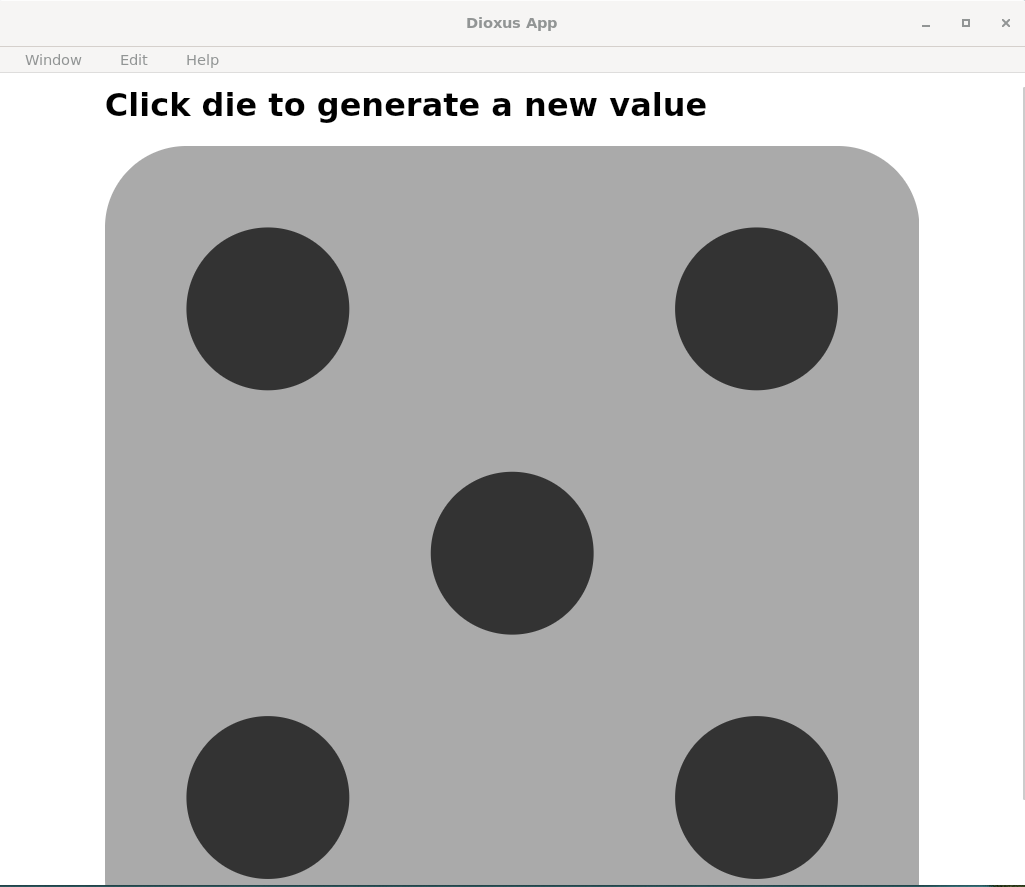
//! This example shows how to create a simple dice rolling app using SVG and Dioxus.
//! The `svg` element and its children have a custom namespace, and are attached using different methods than regular
//! HTML elements. Any element can specify a custom namespace by using the `namespace` meta attribute.
//!
//! If you `go-to-definition` on the `svg` element, you'll see its custom namespace.

use dioxus::prelude::*;
use rand::{Rng, rng};

fn main() {
    dioxus::launch(|| {
        rsx! {
            div { user_select: "none", webkit_user_select: "none", margin_left: "10%", margin_right: "10%",
                h1 { "Click die to generate a new value" }
                div { cursor: "pointer", height: "100%", width: "100%", Dice {} }
            }
        }
    });
}

#[component]
fn Dice() -> Element {
    const Y: bool = true;
    const N: bool = false;
    const DOTS: [(i64, i64); 7] = [(-1, -1), (-1, -0), (-1, 1), (1, -1), (1, 0), (1, 1), (0, 0)];
    const DOTS_FOR_VALUE: [[bool; 7]; 6] = [
        [N, N, N, N, N, N, Y],
        [N, N, Y, Y, N, N, N],
        [N, N, Y, Y, N, N, Y],
        [Y, N, Y, Y, N, Y, N],
        [Y, N, Y, Y, N, Y, Y],
        [Y, Y, Y, Y, Y, Y, N],
    ];

    let mut value = use_signal(|| 5);
    let active_dots = use_memo(move || &DOTS_FOR_VALUE[(value() - 1) as usize]);

    rsx! {
        svg {
            view_box: "-1000 -1000 2000 2000",
            onclick: move |event| {
                event.prevent_default();
                value.set(rng().random_range(1..=6))
            },
            rect { x: -1000, y: -1000, width: 2000, height: 2000, rx: 200, fill: "#aaa" }
            for ((x, y), _) in DOTS.iter().zip(active_dots.read().iter()).filter(|(_, active)| **active) {
                circle {
                    cx: *x * 600,
                    cy: *y * 600,
                    r: 200,
                    fill: "#333"
                }
            }
        }
    }
2. nested_listeners.rs
//! Nested Listeners
//!
//! This example showcases how to control event bubbling from child to parents.
//!
//! Both web and desktop support bubbling and bubble cancellation.

use dioxus::prelude::*;

fn main() {
    dioxus::launch(app);
}

fn app() -> Element {
    rsx! {
        div {
            onclick: move |_| println!("clicked! top"),
            "- div"
            button {
                onclick: move |_| println!("clicked! bottom propagate"),
                "Propagate"
            }
            button {
                onclick: move |evt| {
                    println!("clicked! bottom no bubbling");
                    evt.stop_propagation();
                },
                "Dont propagate"
            }
            button {
                "Does not handle clicks - only propagate"
            }
        }
    }
}

☆ 상태 관리
1. signals.rs
//! A simple example demonstrating how to use signals to modify state from several different places.
//!
//! This simple example implements a counter that can be incremented, decremented, and paused. It also demonstrates
//! that background tasks in use_futures can modify the value as well.
//!
//! Most signals implement Into<ReadSignal<T>>, making ReadSignal a good default type when building new
//! library components that don't need to modify their values.

use async_std::task::sleep;
use dioxus::prelude::*;

fn main() {
    dioxus::launch(app);
}

fn app() -> Element {
    let mut running = use_signal(|| true);
    let mut count = use_signal(|| 0);
    let mut saved_values = use_signal(|| vec![0.to_string()]);

    // use_memo will recompute the value of the signal whenever the captured signals change
    let doubled_count = use_memo(move || count() * 2);

    // use_effect will subscribe to any changes in the signal values it captures
    // effects will always run after first mount and then whenever the signal values change
    use_effect(move || println!("Count changed to {count}"));

    // We can do early returns and conditional rendering which will pause all futures that haven't been polled
    if count() > 30 {
        return rsx! {
            h1 { "Count is too high!" }
            button { onclick: move |_| count.set(0), "Press to reset" }
        };
    }

    // use_future will spawn an infinitely running future that can be started and stopped
    use_future(move || async move {
        loop {
            if running() {
                count += 1;
            }
            sleep(std::time::Duration::from_millis(400)).await;
        }
    });

    // use_resource will spawn a future that resolves to a value
    let _slow_count = use_resource(move || async move {
        sleep(std::time::Duration::from_millis(200)).await;
        count() * 2
    });

    rsx! {
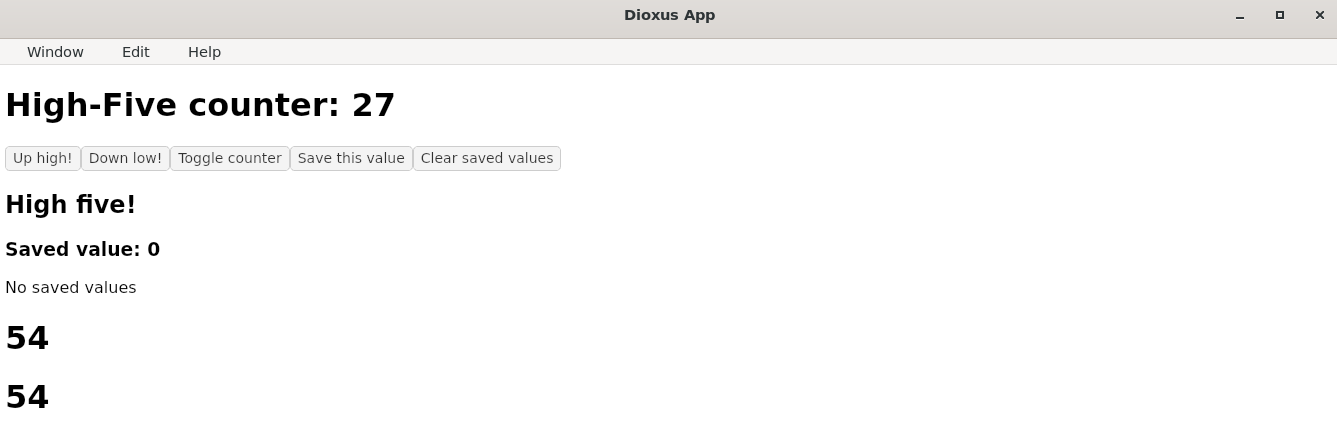
        h1 { "High-Five counter: {count}" }
        button { onclick: move |_| count += 1, "Up high!" }
        button { onclick: move |_| count -= 1, "Down low!" }
        button { onclick: move |_| running.toggle(), "Toggle counter" }
        button { onclick: move |_| saved_values.push(count.to_string()), "Save this value" }
        button { onclick: move |_| saved_values.clear(), "Clear saved values" }

        // We can do boolean operations on the current signal value
        if count() > 5 {
            h2 { "High five!" }
        }

        // We can cleanly map signals with iterators
        for value in saved_values.iter() {
            h3 { "Saved value: {value}" }
        }

        // We can also use the signal value as a slice
        if let [first, .., last] = saved_values.read().as_slice() {
            li { "First and last: {first}, {last}" }
        } else {
            "No saved values"
        }

        // You can pass a value directly to any prop that accepts a signal
        Child { count: doubled_count() }
        Child { count: doubled_count }
    }
}

#[component]
fn Child(mut count: ReadSignal<i32>) -> Element {
    println!("rendering child with count {count}");

    rsx! {
        h1 { "{count}" }
    }
}
2. context_api.rs
//! Demonstrates cross-component state sharing using Dioxus' Context API
//!
//! Features:
//! - Context provider initialization
//! - Nested component consumption
//! - Reactive state updates
//! - Error handling for missing context
//! - Platform-agnostic implementation

use dioxus::prelude::*;

const STYLE: Asset = asset!("/examples/assets/context_api.css");

fn main() {
    launch(app);
}

#[component]
fn app() -> Element {
    // Provide theme context at root level
    use_context_provider(|| Signal::new(Theme::Light));

    rsx! {
        Stylesheet { href: STYLE }
        main {
            class: "main-container",

            h1 { "Theme Switcher" }
            ThemeControls {}
            ThemeDisplay {}
        }
    }
}

#[derive(Clone, Copy, PartialEq, Debug)]
enum Theme {
    Light,
    Dark,
}

impl Theme {
    fn stylesheet(&self) -> &'static str {
        match self {
            Theme::Light => "light-theme",
            Theme::Dark => "dark-theme",
        }
    }
}

#[component]
fn ThemeControls() -> Element {
    let mut theme = use_theme_context();
    let current_theme = *theme.read();
    rsx! {
        div {
            class: "controls",
            button {
                class: "btn",
                onclick: move |_| theme.set(Theme::Light),
                disabled: current_theme== Theme::Light,
                "Switch to Light"
            }
            button {
                class: "btn",
                onclick: move |_| theme.set(Theme::Dark),
                disabled: current_theme == Theme::Dark,
                "Switch to Dark"
            }
        }
    }
}

#[component]
fn ThemeDisplay() -> Element {
    let theme = use_theme_context();

    rsx! {
        div {
            class: "display {theme.read().stylesheet()}",
            p { "Current theme: {theme:?}" }
            p { "Try switching themes using the buttons above!" }
        }
    }
}

fn use_theme_context() -> Signal<Theme> {
    try_use_context::<Signal<Theme>>()
        .expect("Theme context not found. Ensure <App> is the root component.")
}
☆ 비동기 작업
1. futures.rs
//! A simple example that shows how to use the use_future hook to run a background task.
//!
//! use_future won't return a value, analogous to use_effect.
//! If you want to return a value from a future, use use_resource instead.

use async_std::task::sleep;
use dioxus::prelude::*;

fn main() {
    dioxus::launch(app);
}

fn app() -> Element {
    let mut count = use_signal(|| 0);

    // use_future is a non-reactive hook that simply runs a future in the background.
    // You can use the UseFuture handle to pause, resume, restart, or cancel the future.
    use_future(move || async move {
        loop {
            sleep(std::time::Duration::from_millis(200)).await;
            count += 1;
        }
    });

    // use_effect is a reactive hook that runs a future when signals captured by its reactive context
    // are modified. This is similar to use_effect in React and is useful for running side effects
    // that depend on the state of your component.
    //
    // Generally, we recommend performing async work in event as a reaction to a user event.
    use_effect(move || {
        spawn(async move {
            sleep(std::time::Duration::from_secs(5)).await;
            count.set(100);
        });
    });

    // You can run futures directly from event handlers as well. Note that if the event handler is
    // fired multiple times, the future will be spawned multiple times.
    rsx! {
        h1 { "Current count: {count}" }
        button {
            onclick: move |_| async move {
                sleep(std::time::Duration::from_millis(200)).await;
                count.set(0);
            },
            "Slowly reset the count"
        }
    }
}

2. suspense
//! Suspense in Dioxus
//!
//! Suspense allows components to bubble up loading states to parent components, simplifying data fetching.

use dioxus::prelude::*;

fn main() {
    dioxus::launch(app)
}

fn app() -> Element {
    rsx! {
        div {
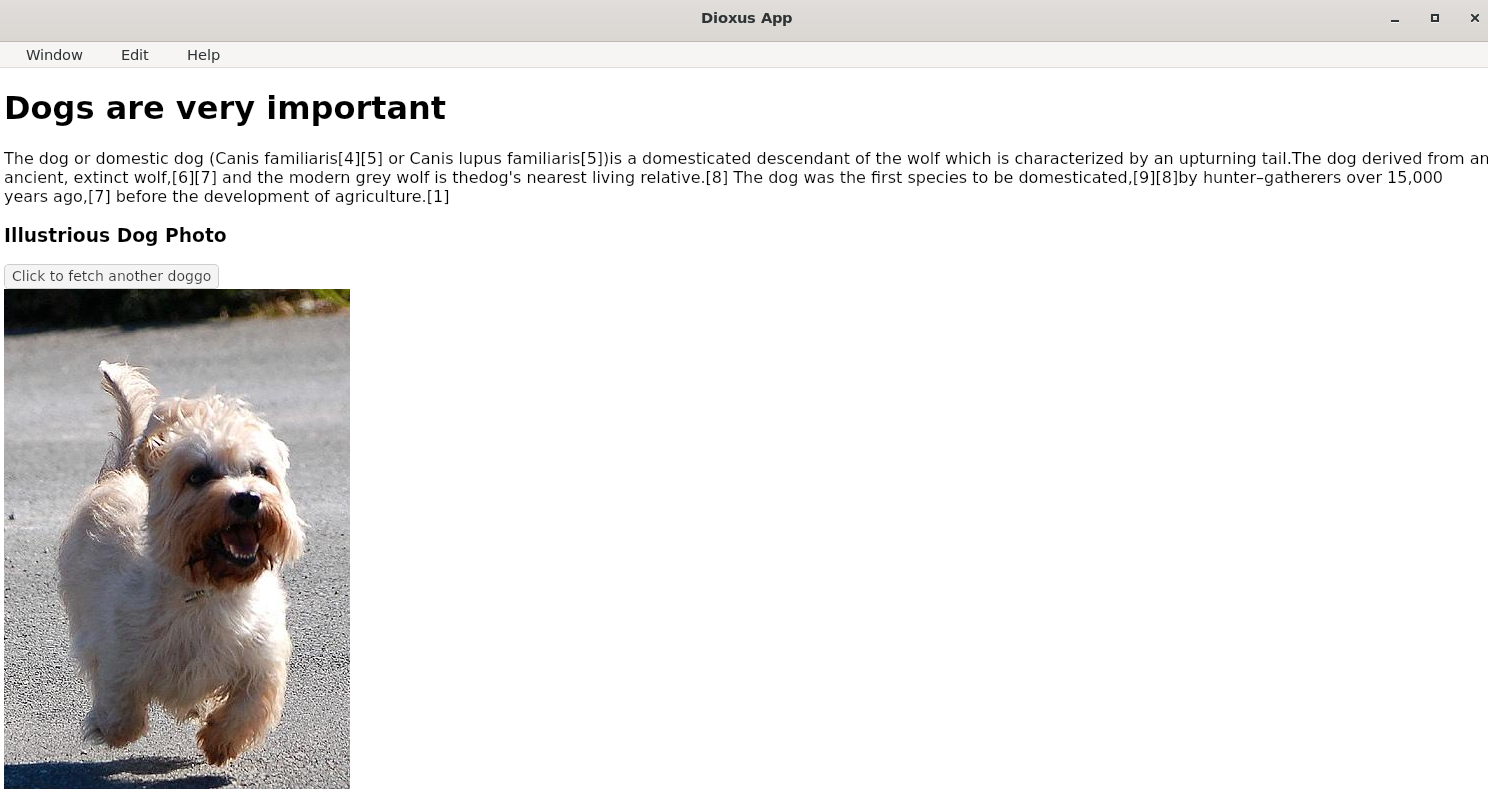
            h1 { "Dogs are very important" }
            p {
                "The dog or domestic dog (Canis familiaris[4][5] or Canis lupus familiaris[5])"
                "is a domesticated descendant of the wolf which is characterized by an upturning tail."
                "The dog derived from an ancient, extinct wolf,[6][7] and the modern grey wolf is the"
                "dog's nearest living relative.[8] The dog was the first species to be domesticated,[9][8]"
                "by hunter–gatherers over 15,000 years ago,[7] before the development of agriculture.[1]"
            }
            h3 { "Illustrious Dog Photo" }
            ErrorBoundary { handle_error: |_| rsx! { p { "Error loading doggos" } },
                SuspenseBoundary { fallback: move |_| rsx! { "Loading doggos..." },
                    Doggo {}
                }
            }
        }
    }
}

#[component]
fn Doggo() -> Element {
    // `use_loader` returns a Result<Loader<T>, Loading>. Loading can either be "Pending" or "Failed".
    // When we use the `?` operator, the pending/error state will be thrown to the nearest Suspense or Error boundary.
    //
    // During SSR, `use_loader` will serialize the contents of the fetch, and during hydration, the client will
    // use the pre-fetched data instead of re-fetching to render.
    let mut dog = use_loader(move || async move {
        #[derive(serde::Deserialize, serde::Serialize, PartialEq)]
        struct DogApi {
            message: String,
        }

        reqwest::get("https://dog.ceo/api/breeds/image/random/")
            .await?
            .json::<DogApi>()
            .await
    })?;

    rsx! {
        button { onclick: move |_| dog.restart(), "Click to fetch another doggo" }
        div {
            img {
                max_width: "500px",
                max_height: "500px",
                src: "{dog.read().message}"
            }
        }
    }
}
반응형


